Opening an esports center is an exciting venture, but navigating the world of game licensing can feel like a daunting boss battle. How much should you budget? Are licenses one-off or monthly? Do you need a special “commercial” license for every game on every PC? Relax! We’re here to demystify game licensing and show you how to build an amazing game library without breaking the bank.
The PC Gaming Landscape: Smarter, Not Harder
When prospective esports center owners think about PC game licenses, they often imagine massive upfront costs, picturing needing a special, expensive “commercial license” for every single game, multiplied by every PC. Let’s clear up some common misconceptions.
1. No “Commercial License” Multiplier (Usually!)
For the vast majority of PC games you’ll offer, you’re purchasing standard consumer licenses – the same ones gamers buy on Steam, Epic Games Store, or Battle.net. If a AAA game costs $70 for a consumer, that’s generally your per-license cost too. There isn’t typically a “commercial use” version that’s 3-5x the price for this type of venue.
2. The Power of Free-to-Play (FTP)
A huge chunk of your most popular and competitive titles will be Free-to-Play. Games like League of Legends, Valorant, Fortnite, Apex Legends, CS2, and Dota 2 form the backbone of many esports centers, and their licensing cost is $0. You can create “house accounts” for easy access or let players use their own. But either way, these games largely make their money from in-game skins, upgrades, and additional “DLC” added content that requires a purchase to obtain. The base cost of the software is nothing, because manufacturers can get their products out to a much larger market without the barrier of entry of any up front cost.
3. Leverage Your Customers’ Own Accounts
Most serious and even many casual gamers prefer to log in with their own accounts. Why? Because they get access to their existing friends lists, game progress, skins, DLC, and tracked stats. Your center should absolutely support this, as it means for many paid games, the customer is bringing their own license to the table.
4. Strategic Purchasing & Smart License Management (This is Key!)
This is where efficiency and cost-savings truly shine. You don’t need to buy a license for every game for every PC. Here’s the smart approach:
- Curated Paid Game Selection: Identify a selection of popular paid games you want to offer directly.
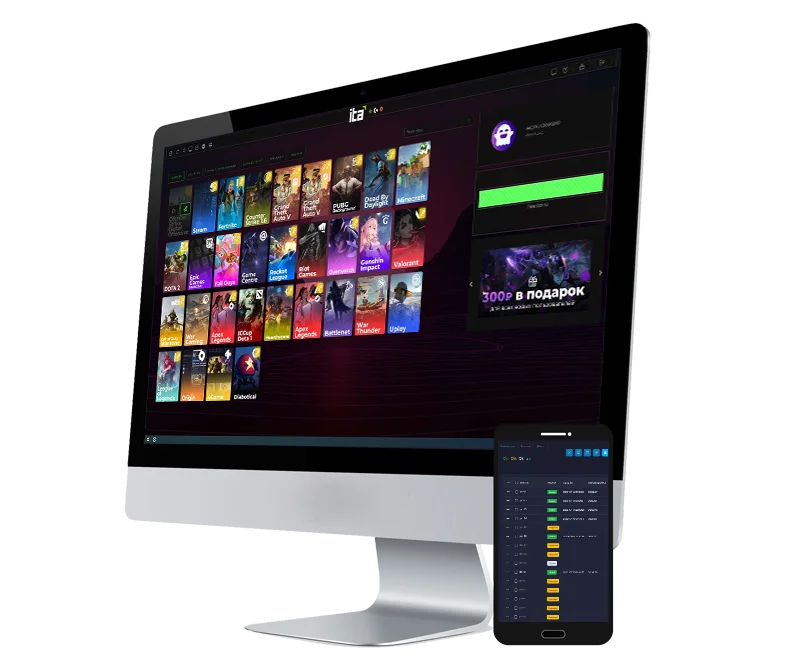
- License Pooling with iCafeCloud: Software like CCBoot (for diskless PC environments) and iCafeCloud (for comprehensive center management) offers a powerful license management feature. (See changelog for all features and upgrades over the last few years).
- You purchase a specific number of licenses for a paid game (e.g., 5 licenses for the latest Call of Duty).
- These licenses are stored on your server.
- When a customer wants to play that game using a center-provided license, iCafeCloud “dishes out” one of the available licenses to their PC.
- When they log off or switch games, the license is automatically returned to the pool, ready for the next player.
- The “Server Update” License: An important operational detail: for each paid game you provide via this pooled system, you’ll generally need one additional license dedicated to your server. This license (e.g., purchased on a main house Steam account) remains on the server and is not available to customers. Its purpose is to allow the game to receive updates seamlessly. This ensures all client PCs can access the latest version. So, if you want to offer 5 concurrent licenses to customers for a specific title, you’d actually purchase 6 licenses in total for that game.
- On-Demand Flexibility: You can purchase licenses as needed. If a customer requests a game not in your current pooled library, you can purchase a license (plus the server update license), add it to the server, and make it available quickly (especially if staff are trained). Similarly, you can proactively purchase licenses for games you anticipate will be popular.
Budgeting Realistically for PC Games:
Instead of thinking “50 games x 30 PCs x $70/game,” your calculation becomes much more manageable:
- Identify Core Paid Titles: Out of a 30-50 game library, perhaps 20-25 are FTP. Of the remaining paid games, many will be covered by customer accounts.
- Select “Must-Have” Center-Provided Paid Games: Start with 5-10 key paid titles.
- Estimate Concurrent Use & Add the Server License: For each of these selected games, estimate how many players will want to use a center license simultaneously during peak hours, then add one more license for server updates.
- Hottest new AAA release: Maybe 5-10 customer licenses + 1 server license = 6-11 total licenses.
- Other popular titles: 2-5 customer licenses + 1 server license = 3-6 total licenses.
- Example: If you pick 5 AAA titles at an average of $70:
- Title 1: (8 customer + 1 server) = 9 licenses x $70 = $630
- Title 2: (5 customer + 1 server) = 6 licenses x $70 = $420
- Title 3: (3 customer + 1 server) = 4 licenses x $70 = $280
- Title 4: (3 customer + 1 server) = 4 licenses x $70 = $280
- Title 5: (2 customer + 1 server) = 3 licenses x $70 = $210
Total Estimated Initial Cost for these 5 selected paid games: $630 + $420 + $280 + $280 + $210 = $1,820.
This is still a world away from tens of thousands and reflects the actual licenses needed.
This approach allows you to offer a diverse library while only investing in the licenses you genuinely need for concurrent use and updates.
Console Gaming: The Subscription Advantage
For your PlayStation 5 and Xbox stations, game subscriptions are your best friend.
1. Subscription Services & Costs:
Services like PlayStation Plus (Extra/Premium tiers) and Xbox Game Pass (Console/Ultimate tiers) offer incredible value. They typically range from $10-$18 per month, per subscription (annual plans can be cheaper). Each subscription is tied to a specific console account.
2. The Advantages are Huge:
- Vast Game Library: For a low monthly fee, you gain access to hundreds of games. This is far more cost-effective than buying individual titles. Your consoles will always have a fresh and diverse selection.
- Perfect for Parties & Groups: Need a wide variety of games for a birthday party? Subscriptions have you covered with options for all ages and tastes.
- Digital Convenience: Games are downloaded directly to the console – no physical discs to manage, lose, or get damaged.
- Cost-Effective Coverage: Even just one or two active subscriptions (e.g., one PS Plus Premium and one Xbox Game Pass Ultimate) can provide an extensive game library for your console area, satisfying most customer needs.
3. Console Game Management:
It’s important to note that console game libraries are managed on a per-console basis. There isn’t a central server system like CCBoot/iCafeCloud for dishing out console games. However, the subscription model itself handles the library provision efficiently directly on each unit.
Key Takeaways for Your Esports Center:
- PC Licenses are Standard Consumer Licenses: No need to fear massive “commercial” markups for most games.
- Embrace FTP & Customer Accounts: These significantly reduce your direct licensing costs.
- Invest in Smart Management Software: CCBoot, which lives on your server, and iCafeCloud with license pooling are game-changers for PC license efficiency.
- Budget for Concurrent Use +1 for Updates: Only buy the licenses you need for simultaneous play of center-provided games, plus one extra per title for server updates.
- Leverage Console Subscriptions: PS Plus and Xbox Game Pass offer incredible value and variety for your console stations.
By adopting these strategies, you can build an impressive and appealing game library for your esports center in a smart, cost-effective way, ensuring your customers have a fantastic experience every time they visit!